Galaxy Z Trifold One UI Multitasking: Samsung’s Next Big Leap in Mobile Productivity
Note: This post is based on leaks, patents, and One UI 8 beta insights as of November 2025. Final specs may differ.
If you think smartphones have already peaked in innovation, think again. Samsung’s upcoming Galaxy Z Trifold One UI multitasking experience is about to change how we define “working on the go.” Imagine unfolding a single device into a mini workstation where you can run three full apps side by side, switch layouts with a swipe, and mirror your workflow across screens seamlessly. That’s not science fiction anymore — it’s Samsung’s next big leap toward redefining productivity.
Let’s unfold (pun intended) what makes this device such a potential game-changer.
The Trifold Revolution — More Than Just a Foldable
According to Samsung’s official newsroom, the company continues to explore advanced foldable form factors designed for productivity and mobility.
We’ve seen foldable phones evolve from novelties to mainstream productivity devices. The Galaxy Z Fold line gave us dual-screen multitasking, but the Galaxy Z Trifold One UI multitasking system takes it further — literally adding another dimension.
With three foldable panels, Samsung’s new design concept allows the device to unfold into a tablet-sized display, offering a much larger workspace without carrying a laptop. The real magic, however, lies not just in the hardware, but in One UI 8’s new multitasking features that make this tri-fold form factor truly functional.
One UI 8 and Split Trio Mode — A Real Productivity Booster
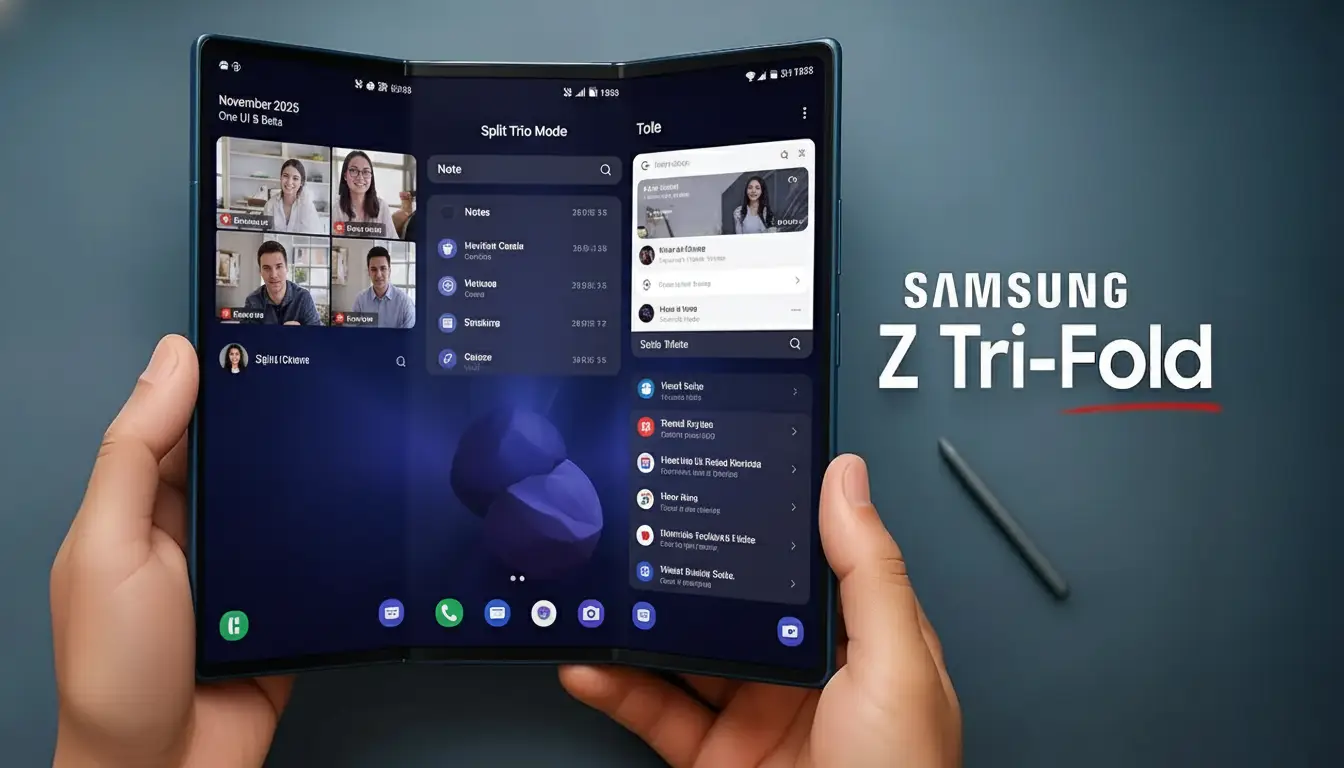
If you’re used to running two apps at once on your Fold or Galaxy Tab, prepare to be spoiled. With the Galaxy Z Trifold One UI multitasking feature, Samsung introduces Split Trio Mode — a way to run three apps side by side simultaneously.
Let’s say you’re:
- On a video call with your team,
- Taking notes in Samsung Notes, and
- Browsing reference links on Chrome —
All in one view. No tab switching, no minimizing. Just pure multitasking bliss.
And it’s not just about work. Imagine watching a YouTube video while chatting on WhatsApp and tracking crypto prices — all on one screen. The Galaxy Z Trifold One UI multitasking approach makes Split Trio Mode feel intuitive. It’s the kind of everyday convenience that makes you wonder how we ever managed without it.
Flexible Layouts That Feel Effortless
One of the most impressive upgrades in One UI 8 is layout flexibility. Samsung is expected to allow both horizontal and vertical split arrangements, depending on your workflow.
Say you prefer reading on the top half while keeping your notes and communication apps below — no problem. Or maybe you’re editing a presentation and need references side-by-side? You can do that too.
This fluidity makes the experience feel… natural. It doesn’t force you into Samsung’s vision of multitasking — it lets you define what productivity looks like.
Cover Screen Mirroring — Because Continuity Matters
Here’s a small but genius touch: cover screen mirroring.
You start typing a document on the outer screen while commuting. Once you unfold the device, your work instantly expands onto the full display without restarting or resizing.
No app reloads, no awkward resizing moments — it just flows.
Simple yet elegant…
AI + Hardware Power = Seamless Experience
Of course, multitasking like this demands serious horsepower. Under the hood, the Galaxy Z Trifold is expected to feature Samsung’s latest custom Snapdragon 8 Elite (or similar flagship) processor — built specifically for high-efficiency multitasking and AI-driven performance.
The earlier rumors about the XR2+ Gen 2 chip turned out to be misplaced — that chipset powers AR/VR headsets like the Meta Quest, not smartphones. For a device like the Trifold, Samsung will likely stick with its tried-and-tested Snapdragon 8 platform, fine-tuned for foldables.
Samsung’s AI integration reminds us how powerful intelligent systems have become — just like we discussed in our guide on Generative AI Fraud Detection
Here’s where the real magic happens: One UI 8’s AI optimization intelligently balances performance and battery life. For instance, if you’re focused on one app, the others subtly downscale in the background to save battery.
It’s like having a digital assistant quietly tuning your phone for peak efficiency while you stay in the zone.
Real-World Use Cases: Why This Actually Matters
This isn’t just a gadget for tech enthusiasts — it’s a tool for everyone who works or creates on the go.
For entrepreneurs: Run your email, pitch deck, and chat app simultaneously while traveling.
For students: Watch lectures, take notes, and reference articles without switching tabs.
For designers: Sketch on one panel, use color references on another, and preview on the third.
It turns your pocket-sized device into a full-blown digital desk.
And if you’ve ever used apps like Notion, ChatGPT, or Canva — just imagine how much smoother those workflows get when you can run them together, not one at a time.
Handling the Heat — Literally and Figuratively
Of course, all this power means more strain on the device. But Samsung’s reportedly introducing smarter thermal management and battery distribution.
The phone might use a multi-cell battery that discharges evenly across panels, preventing overheating and ensuring consistent performance — even during heavy use.
Translation: No more worrying about your phone turning into a mini heater during those all-day work sessions.
Why This Is Bigger Than Just “Another Foldable”
Let’s be real — foldable phones have always been cool to look at. They’re the kind of gadgets that make people stop and say, “Wait, what is that?” But the Galaxy Z Trifold One UI multitasking experience isn’t just about turning heads. It’s about changing how we work and create on the go.
For years, people who live and breathe tech have wanted one thing — a phone that could finally do what a laptop does, without the bulk. Something powerful enough to juggle real work, yet compact enough to slip into your jeans pocket.
And honestly, it feels like Samsung is getting pretty close this time.
The Galaxy Z Trifold One UI multitasking setup isn’t just another fancy fold. It’s a shift in mindset. Instead of cramming more screens into a phone, Samsung seems to be asking: how far can one device really go before it stops being “just a phone”?
It’s about merging comfort and capability — that sweet spot where portability finally meets productivity.
The AI Productivity Connection
Here’s where it gets really interesting for those who love AI tools (yes, that includes your InnovateIterate readers).
Imagine running ChatGPT, Google Sheets, and Notion AI all together — brainstorming ideas, building a project plan, and crunching data in real-time, all without switching apps.
That’s the sweet spot of AI-powered productivity — and the Galaxy Z Trifold is built to handle it. It aligns perfectly with the next evolution of smart work: multitasking powered by intelligence, not just speed.
If you’ve read our post on Top 10 AI Tools for Productivity 2025
, this phone could be the ideal device to unlock their full potential.
The Real Challenges Ahead
Now, let’s keep it real — no innovation is perfect from day one.
- App optimization will be key. Not every app is designed to run in three resizable windows.
- Pricing might be steep (it’s Samsung’s most ambitious design yet).
- And there’s the question of durability — more hinges mean more moving parts.
But these are the same doubts people had about the first Galaxy Fold. Look where we are now.
The Takeaway
The Galaxy Z Trifold One UI multitasking system isn’t just another smartphone update — it’s the start of a new computing era. It bridges the gap between mobile and desktop, giving users true multitasking freedom without compromise.
If the leaks are true, Samsung isn’t just releasing a phone. They’re redefining the meaning of multitasking — one fold at a time.
In a world where efficiency and adaptability define success, the Galaxy Z Tri-Fold proves that the future of work really does fit in your pocket — three screens at a time.